As the leading CMS platform, WordPress can meet the needs of different people. If you are looking to add a specific functionality to your website, it’s highly likely that a plugin already exists. This means that you won’t have to spend thousands on developing a plugin from scratch.
As a WordPress user, you already know the importance of plugins. Plugins are a critical part of WordPress as they add features to improve your site’s user experience. When you want to ensure your website has all the features you need to impress visitors and boost conversion, you must have the right combination of plugins that work well with each other.
Be sure to choose a plugin that is maintained regularly. More importantly, you must update those plugins to the latest version. These updates ensure that your plugin works efficiently without any flaws.
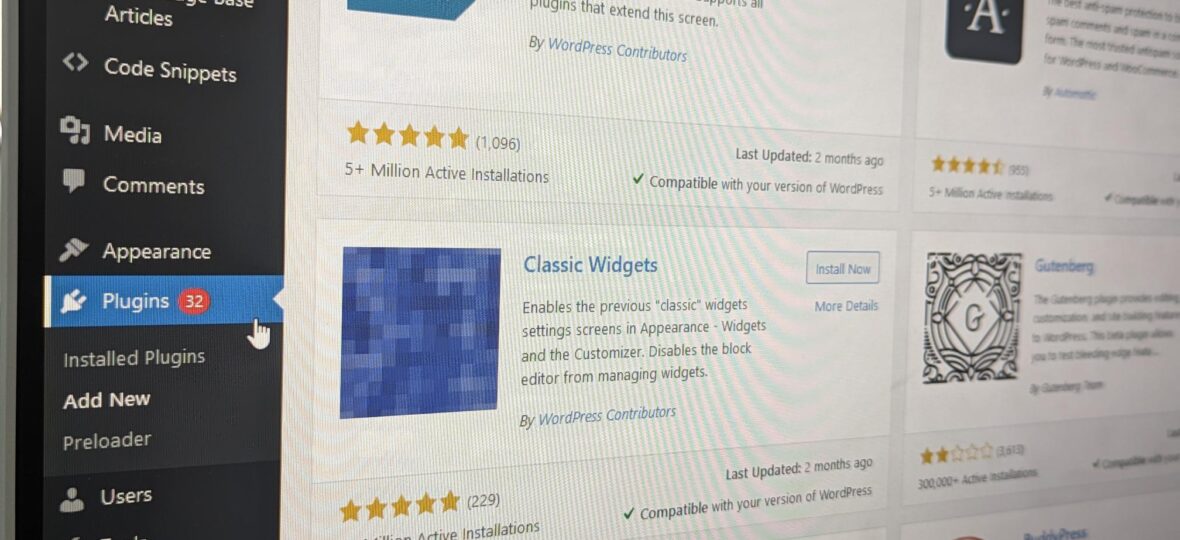
Every time you see that red-circled number in your dashboard beside Plugins, you know that one or more of those plugins are ready with a new update. The longer you ignore plugin updates, that number will only grow. Before you know it, you will end up with dozens of WordPress plugins needing an update.
If you are wondering whether you should update WordPress plugins, you’ve come to the right place. In this post, we share some of our top reasons to update your WordPress plugins.
Get the latest features
The most obvious reason to update WordPress plugins is that the developers regularly introduce new features. It could be an improvement to the user interface or an update to the workflow. Perhaps, the developer has introduced a new setting.
No matter the type of feature being added, they are aimed at making the plugin better. And there’s no reason why you should miss out.
The developers can introduce these new features by pushing a new update to their plugins.
Prevent security breaches
If an update is simply an aesthetic improvement over the previous version or a new feature, using the old version won’t cause much harm.
However, many times, developers release updates to their WordPress plugins for security reasons. Ensuring that your website is safe against any attacks or threats should be your number one priority.
Plugins are the weakest link in a WordPress website. Although WordPress plugins make it easy for you to add a functionality to your website and do a fantastic job of it, plugins can wreak havoc if they are not compatible with each other or your theme. And plugin developers are constantly working to fix vulnerabilities and offer plugin updates to protect your website against attacks.
Outdated plugins create an opening for intruders and hackers to access your website. In fact, outdated plugins cause 90% of security breaches.
So, updating WordPress plugins is the easiest way to keep your website secure and ensure it performs the way it should.
Fix bugs
Over time, WordPress plugins may develop issues owing to changes in the WordPress core version, changes in dependencies or for any other reason. So, plugin developers introduce plugin updates that solve those bugs and issues. So, if you are not updating WordPress plugins, you are not going to solve those problems.
Improve website performance
As with any other software, plugin updates help ensure your website stays efficient, responsive and quick. A WordPress website running outdated plugins can become glitchy. Worse yet, it may no longer perform efficiently.
The user experience, website speed and core web vitals have a direct impact on your website’s SEO. That’s because if your website takes a long time to load or a critical plugin does not work properly, it will hamper user experience and people will leave your website. This will, in turn, affect your website’s ranking in search engines.
Update your plugins easily with Designweb’s managed hosting plans
With our Managed WordPress Hosting plans like the WP Essential hosting package and WP Premium hosting package, we update the WordPress plugins automatically. So, whenever updates are released, the plugins installed on your website will get an update automatically. This helps to strengthen your site against attacks and prevent a breach of your customer data.
Get started here or contact us today for more information.